好看的文字編輯器 trumbowyg 架在 Laravel 上 (更正 : 好看但沒有很好用) 2022-09-03 19:18:07
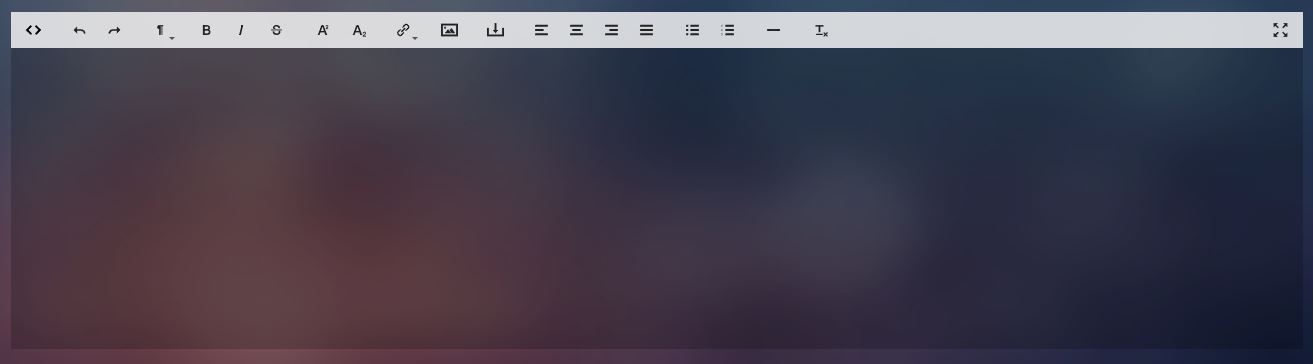
trumbowyg是一個外觀看起來很好看的編輯器,用法也相當簡單,這次的範例是架在Laravel的專案上面:
1. 載入trumbowyg.min.css和trumbowyg.min.js,如果需要圖片上傳功能要在載入trumbowyg.upload.js (沒有可以去github上抓)
2. view的頁面新增 <textarea class="trumbowyg-editor" name="content"></textarea>
3. 接下來javascript加上:
$(".trumbowyg-editor").trumbowyg({
    btns: [
        ['viewHTML'],
        ['undo', 'redo'],
        ['formatting'],
        ['strong', 'em', 'del'],
        ['superscript', 'subscript'],
        ['link'],
        ['insertImage'],
        ['upload'],  // 如果要上傳功能就要加入這個按鈕
        ['justifyLeft', 'justifyCenter', 'justifyRight', 'justifyFull'],
        ['unorderedList', 'orderedList'],
        ['horizontalRule'],
        ['removeformat'],
        ['fullscreen']
    ],
    plugins: { // 額外套件
        upload: { // 上傳的套件
            serverPath: '/upload_image', //上傳圖片的api
            fileFieldName: 'image', //input的name
            imageWidthModalEdit: true, //是否要有改變圖片大小的功能 (只有css語法上改變,實際上傳圖片的大小不變)
            headers: {
                'X-CSRF-TOKEN': '{{ csrf_token() }}' //Laravel要加
            },
            urlPropertyName: 'data.link' //回傳顯示的名稱
        }
    },
    autogrow: !0
});
4. 上傳圖片的api設置:
$uploadedFile = $request->file('image'); //js 裡 fileFieldName填的為image
$filename = time().$uploadedFile->getClientOriginalName();


Storage::disk('local')->putFileAs(
    'public/images',
    $uploadedFile,
    $filename
);


$response = [
    'success' => true,
    'data' => ['link' => asset("storage/images/" . $filename)] //對應js 裡 urlPropertyName的值
];


return response()->json($response); //一定要回傳 編輯器那邊才會抓到
****************2022/09/15更新****************
新增針對程式語言改變顏色的功能 (Highlight)
要先安裝Prism
執行 npm install prismjs
並去套件github下載trumbowyg.highlight套件包
head載入
<link rel="stylesheet" href="node_modules/prismjs/themes/prism.css">
<link rel="stylesheet" href="trumbowyg/dist/plugins/highlight/ui/trumbowyg.highlight.min.css">
body最尾載入
<script src="node_modules/prismjs/prism.js"></script>
<script src="node_modules/prismjs/components/prism-csharp.js"></script>
<script src="node_modules/prismjs/components/prism-go.js"></script>
<script src="node_modules/prismjs/components/prism-markdown.js"></script>
<script src="trumbowyg/dist/plugins/highlight/trumbowyg.highlight.min.js"></script>
並在套件的js裡按鈕btns新增 ['highlight']
這樣編輯器就套用完成了
前台顯示只要載入
<link rel="stylesheet" href="node_modules/prismjs/themes/prism.css">
這樣就大功告成了
*20240620補充 : 沒有很好用,目前改用Tinymce
*20240620補充 : 沒有很好用,目前改用Tinymce